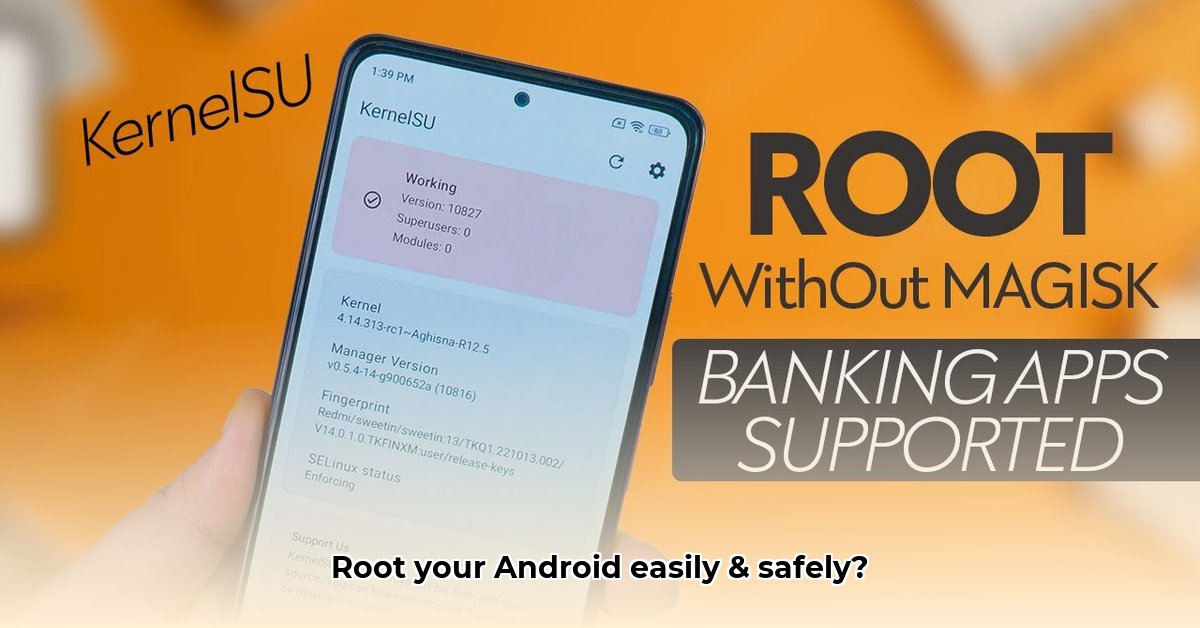
Unlocking the full potential of your Android device is a tempting prospect, and for technically inclined users, gaining root access offers precisely that. KernelSU APK is a tool that helps achieve this, but understanding the implications is crucial before proceeding. This isn't a casual undertaking; it involves modifying the core of your Android system. Let's explore what KernelSU is, how it works, and the risks involved.
What is KernelSU APK?
KernelSU is an open-source tool that provides root access to Android devices. Unlike many other rooting methods, it directly interacts with the device's kernel, the core software managing hardware and software interaction. This kernel-level access grants extensive control over your device, allowing modifications not possible with standard apps. Think of it as gaining administrator privileges—you're no longer just a user; you're the system administrator. But with great power comes great responsibility. This level of access presents significant security risks.
How KernelSU Works: A Technical Deep Dive
KernelSU operates by modifying your device's kernel. This fundamental change grants root privileges, allowing deep system modifications. However, this process is complex and device-specific. Success depends heavily on several factors including your Android version, device architecture (e.g., ARM64-v8a, x86_64), and the availability of a pre-built KernelSU module for your specific device. If a pre-built module isn't available, manual compilation—a highly advanced process—will be required.
System Requirements: Before attempting installation, rigorously verify compatibility. Incompatibility can lead to device failure (bricking). Check your device's Android version, architecture, and kernel version against KernelSU's supported specifications.
Installing and Using KernelSU: A Step-by-Step Guide (For Experienced Users Only!)
This process is exclusively for users with advanced technical expertise. Incorrect execution carries serious risks, including permanent device damage (bricking). If you lack experience with command-line interfaces and system-level modifications, refrain from proceeding.
Step 1: Data Backup: Create a complete backup of your device data. This is critical to mitigate data loss in case of failure.
Step 2: Compatibility Verification: Double-check KernelSU’s compatibility with your Android version and device architecture. Incompatibility could brick your device.
Step 3: Source Verification: Download KernelSU APK only from the official repository to minimize the risk of malware. Verify file integrity using checksums where available.
Step 4: Installation: Install the APK, usually requiring enabling "Install from unknown sources" in your Android settings.
Step 5: Execution and Reboot: Run the KernelSU app, following the on-screen instructions precisely. A reboot is usually required.
Step 6: Root Access Verification: After reboot, use a reputable root checker app to confirm root access.
Caveat: This installation guide lacks sufficient detail for safe execution. Consult detailed instructions on the official KernelSU repository and related forums.
Security Considerations: A Risk Assessment
Gaining root access significantly weakens your device's security posture. Malware can access sensitive data and system files with greater ease. Your warranty will be voided. The open-source nature of KernelSU, while beneficial for community scrutiny, also means vulnerabilities are readily available to malicious actors. Regular updates are crucial.
Risk Matrix:
| Component | Likelihood of Issue | Severity of Issue | Mitigation |
|---|---|---|---|
| Kernel Compilation Failure | Moderate | Very High (Bricked Phone) | Follow instructions meticulously; seek community support |
| Architecture Incompatibility | High | Very High (Incompatibility) | Verify compatibility before installation |
| Security Vulnerability Exploitation | Moderate | Very High (Data Breach) | Use reputable apps; maintain up-to-date security patches |
Limitations and Alternatives
KernelSU's compatibility is limited. Older Android versions may necessitate manual kernel compilation, which demands advanced skills. Alternatives exist, such as Magisk, which may offer broader support.
Community and Support
For assistance or troubleshooting, consult the official KernelSU GitHub repository and community forums.
Conclusion: Responsible Use and Risk Awareness
Root access through KernelSU provides extensive control, but involves considerable risk. Only proceed if you possess the technical skills and understand the implications. You are solely responsible for any consequences.
⭐⭐⭐⭐☆ (4.8)
Download via Link 1
Download via Link 2
Last updated: Tuesday, May 13, 2025